
First tries of Claude working in Webflow by itself

I have a few websites on Webflow. Webflow is a website builder, a CMS (content management system), and hosting, all in one place. If you know WordPress, it is something similar. It is quite convenient: you build your site on Webflow, publish it, and everything just works. You log in with your email and password and manage all the content on your site from there.
⠀
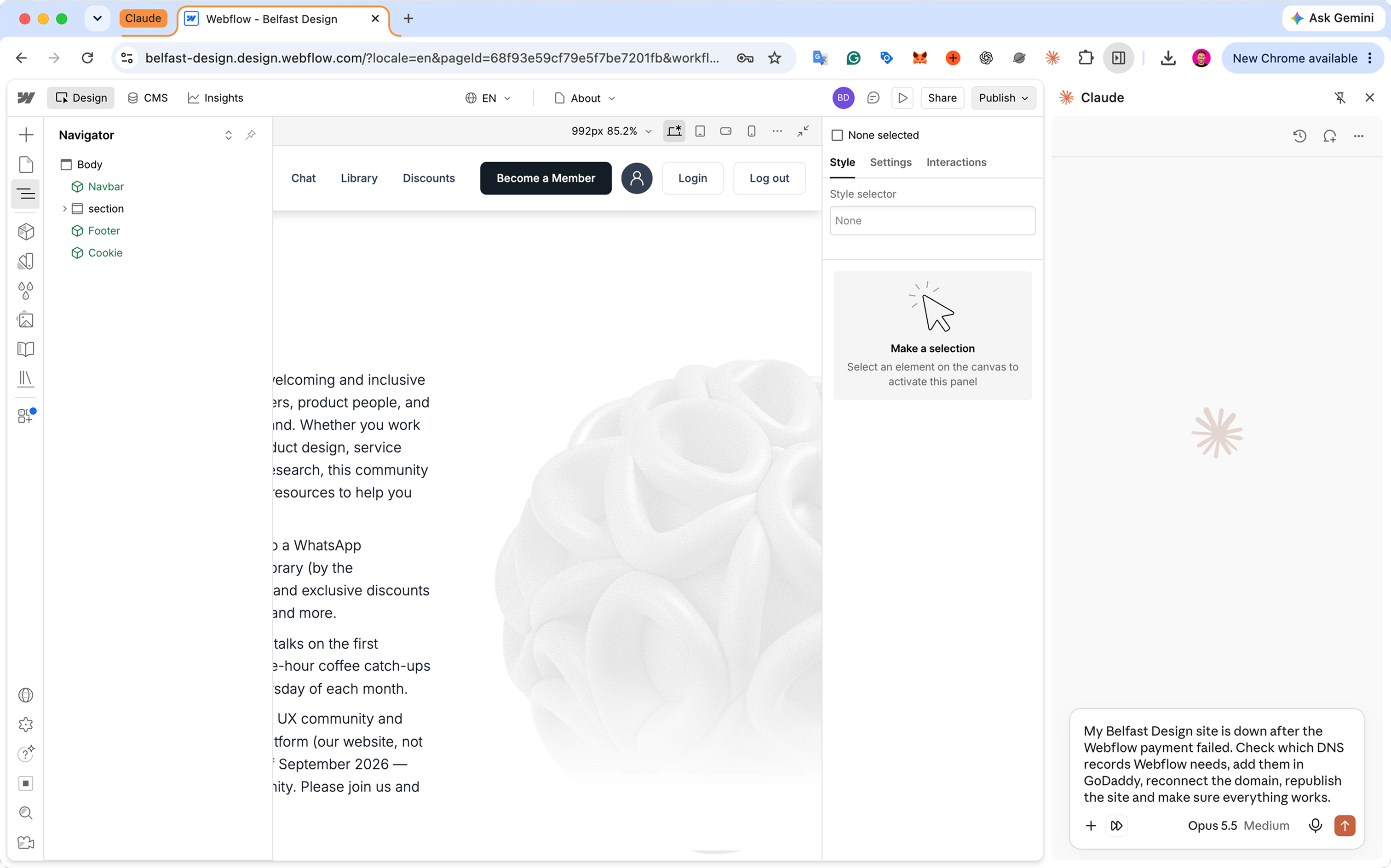
Now I want to share three examples of what I did in Webflow together with Claude. Honestly, the results really surprised me. But first, how it works technically. In Chrome, I have the Claude extension installed, just like I do with ChatGPT. When I click Claude, a chat panel opens on the right. Besides chatting, Claude has permission to control my Chrome. So I simply ask it in this chat to do something, and Claude actually clicks around on the page on the left, just like a person would. This is how all the work was done.
⠀
① My Webflow payment failed. I pay yearly because it is cheaper. If you use Webflow, you know that when a payment fails, paying again is not enough. The custom domain gets disconnected, so you have to go into Webflow, reconnect the domain, and publish the site again. Usually I asked a Webflow developer to do this, because the site was down and I needed it working. This time no developer was available. So I just told Claude: I need to republish my site so everything works again. Claude asked me where my domain was. I said probably GoDaddy, but I was not sure. Claude clicked through Webflow on its own, then opened GoDaddy and said: I don’t need any of your details; just log in and we will continue. So I entered my login and password in my browser, got a code by SMS for two-factor authentication, and typed it in. Then Claude did everything itself. It took the DNS records from Webflow, added them in GoDaddy, kept the existing records untouched, and checked that everything was correct. Then it went back to Webflow, connected the domain, published the site, opened it to check that it worked, and messaged me: done, everything is connected and working. I opened the site myself, also in incognito mode, and it really worked. I was amazed.
⠀
② A user sent us a message through the contact form: there was a typo on our “Thank you” page, and it was annoying. So I wrote in the chat: there is a mistake on this page, please fix it. Claude went through the pages in Webflow on its own, found the right one, fixed the typo, published the site again, checked it, and wrote back: I double-checked; it is live, all done. Again I thought: wow, this is cool. Now, for all these small fixes, I don’t need a developer anymore. Once again, I was really surprised.
⠀
③ The Instagram link on our site was wrong, in the footer and on some other pages. Again, a user wrote to us: your Instagram link doesn’t work. And it was true; we had changed our Instagram username, so the old link was broken. I wrote just one prompt: our Instagram link is broken; here is the correct one, replace it everywhere it is needed, republish the site, and check that everything works. And that was it. Claude did everything, checked it, and published the site.
⠀
These were my first tasks, very simple ones, that I handled without a developer. Before, even for basic things like this, I needed a Webflow developer. This was the first time I just closed them all myself, or rather, Claude closed them for me.
⠀
Of course, after that I started digging deeper. I realized that bigger, more complex tasks can also be done with Claude right inside Webflow.
⠀
To be fair, you could do all of this without Webflow at all. Claude can write the code, rebuild the site, and you could leave Webflow completely. But right now my infrastructure is on Webflow, it works as part of my hosting, so leaving Webflow is not the question for me today, and it is not what this article is about. I understand that working with Claude inside Webflow is not the best possible setup. Still, it works, and that is what I want to share. You open Chrome, the chat is on the right, you tell it what to do in Webflow, or in almost any other product, and it clicks, types, fills in forms, and does the work for you. It opens up a lot of new possibilities.
⠀
#Webflow #Claude #AI #NoCode #WebDesign